 |
|


 |
 |
 |
 |
||||||

|
Pathagoras
Tip of the Week
Instant Database Screen
Expand View If your variables (displaying in the left column of the Instant Database screen) or the replacement text values (displaying in the right) are fairly long, the text may be cut off due to the default width of the Instant Database screen. You can easily widen the screen to see everything!. Click the 'widen' button (located in the lower right corner of the screen, just beneath the 'Close' button) until you can see the entire line of text. 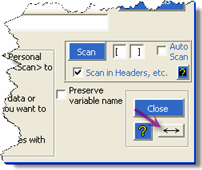
|
||||||||


