Lists


|
Lists |
|
|
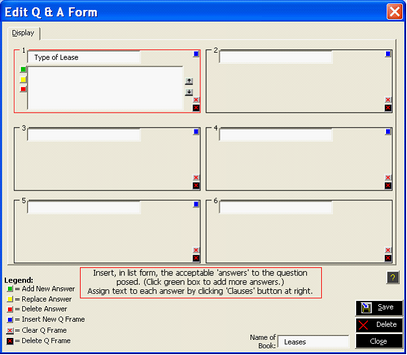
If you picked “List,” another white box appears, this one immediately beneath the question. (See Figure 3, above). A column of green, yellow and red buttons now appears along the left edge of the box. Click the green button to add your first answer.
Figure 3 ‘List’ Selected. List box displayed. Ready to assign Answers
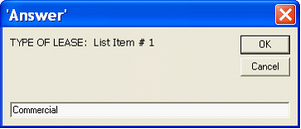
The following overlay, containing a reference to the question, will appear on your screen:
Figure 4. Type an 'answer' or ‘option’ that you wish the end-user to see.
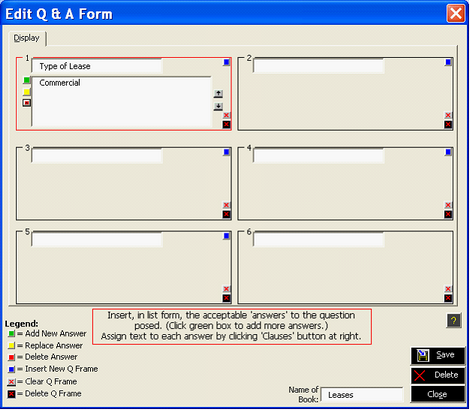
Type the first of your (up to 20) ‘answers’ for the ‘question’ posed. In the sample, the first ‘answer’to the question “Type of Lease” is ‘Commercial.’ See the result of this action in Figure 5.
Figure 5. First question and one option provided.
Click the green button again (alternative: press the Enter button) to add more answers. Once you have provided at least one answer (you can always add more later), you are ready to attach an actual document or clause (or a series of documents or clauses) which Pathagoras will assemble if the end-user selects that particular answer. |